
Learn how to do WhatsApp verification using USA number from anywhere in the world in 2026.
In this video, we show you step-by-step how to get a non-VoIP USA number from OtpFire and verify WhatsApp instantly—no VoIP blocks, no failed OTPs.
Easily create a WhatsApp account from anywhere using a real USA number. Follow these simple steps to get instant SMS verification with OtpFire’s non-VoIP numbers.
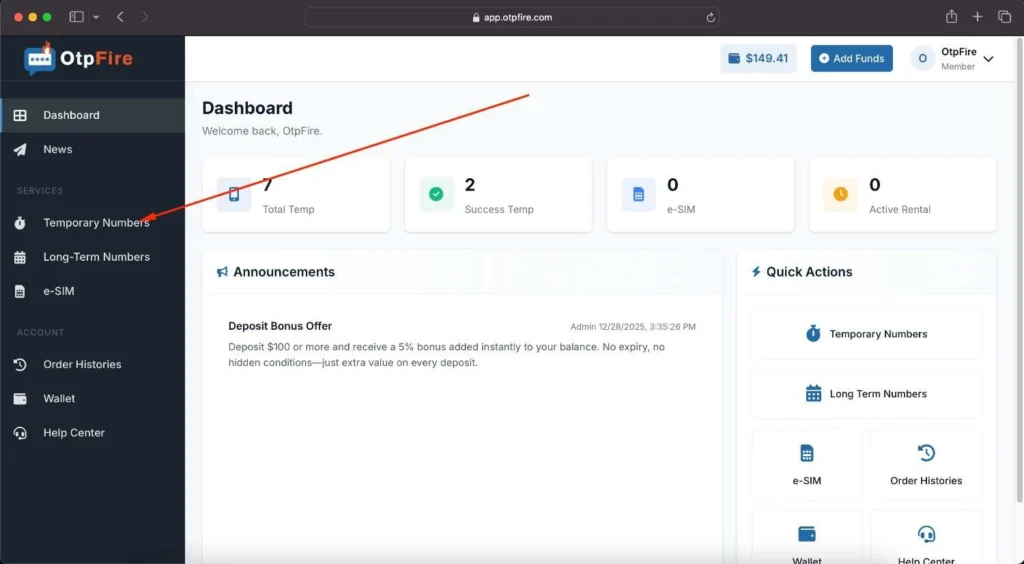
- Step 1: Sign in to your OtpFire account and go to Temporary Numbers.
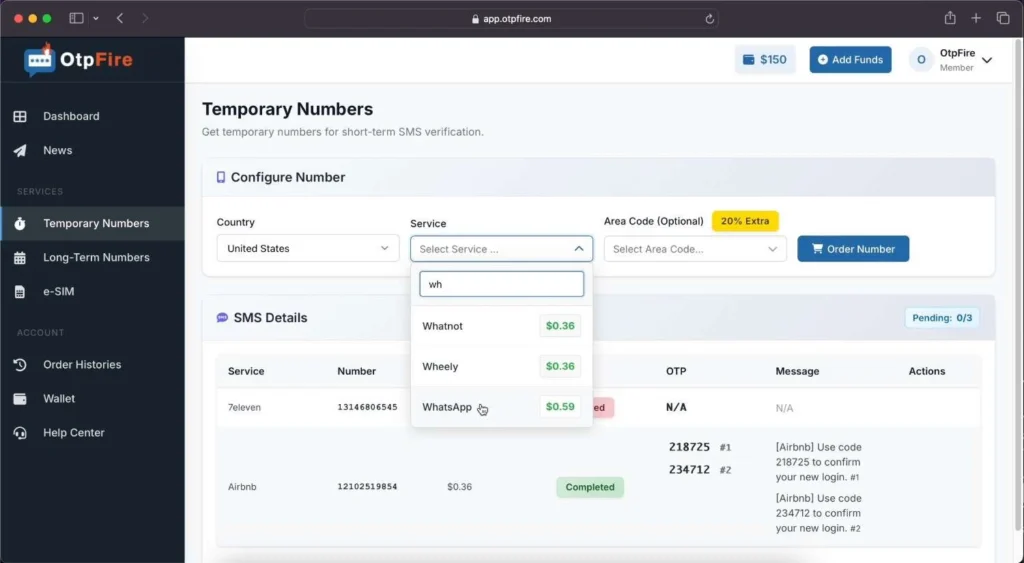
- Step 2: Choose WhatsApp from the Service dropdown, select an area code (optional), then click “Order Number.”
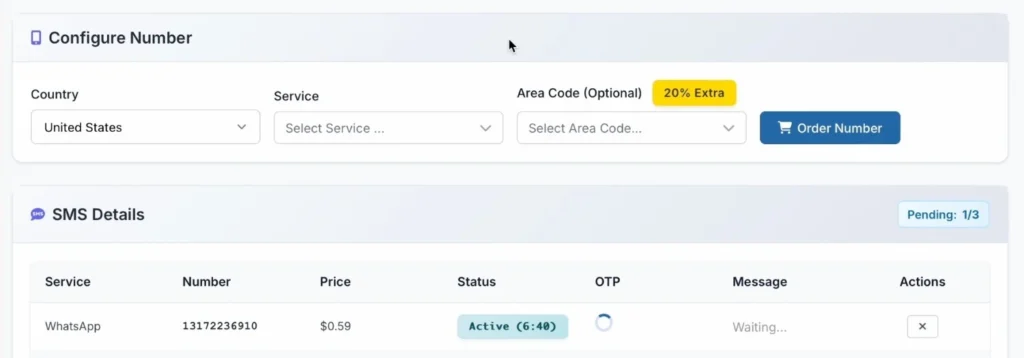
- Step 3: Here’s your assigned USA number for WhatsApp.
- Step 4: Open WhatsApp and start the registration process. Select the United States and enter the USA number you just received.
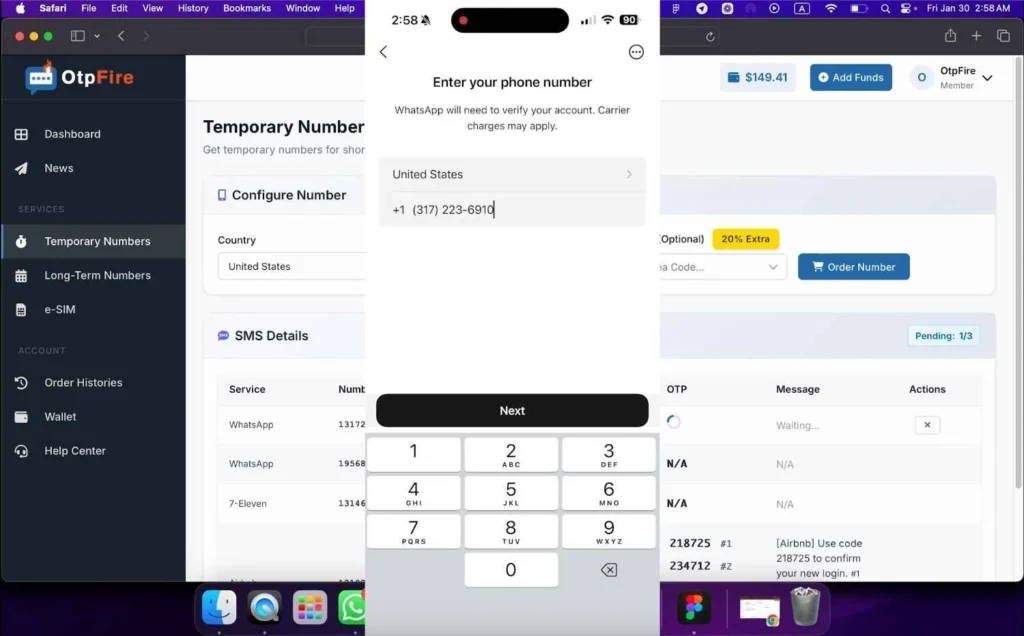
- Step 5: Now, click “Next” and send the verification SMS to that number.
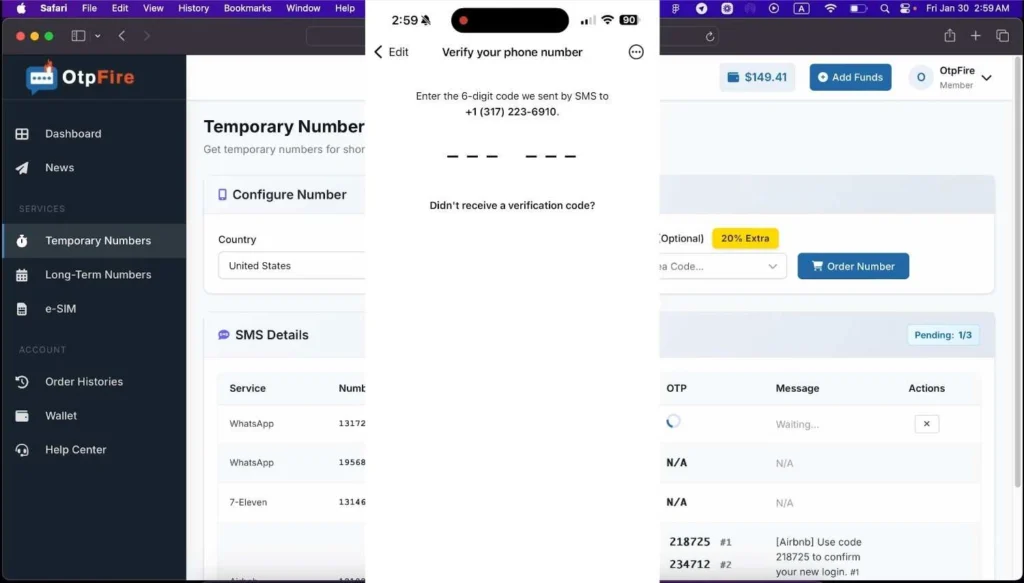
- Step 6: Return to your OtpFire dashboard and check the verification SMS.
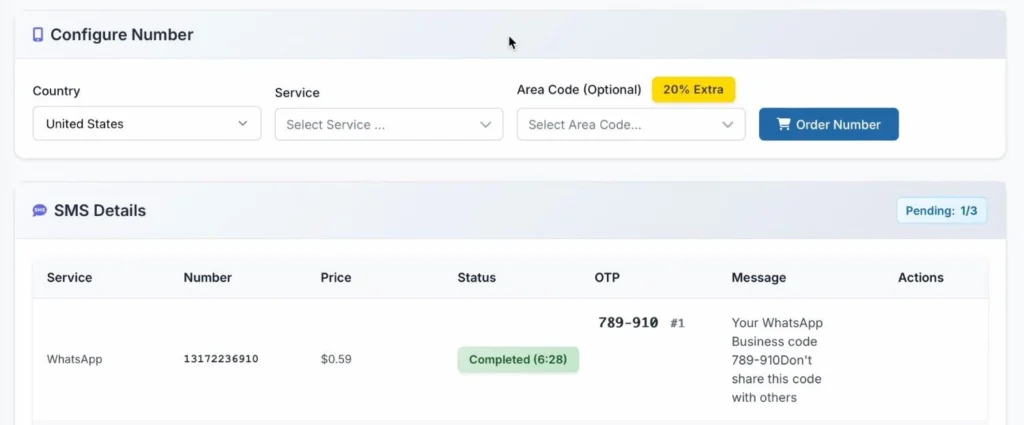
- Step 7: Enter the verification code you received into WhatsApp to complete the verification.
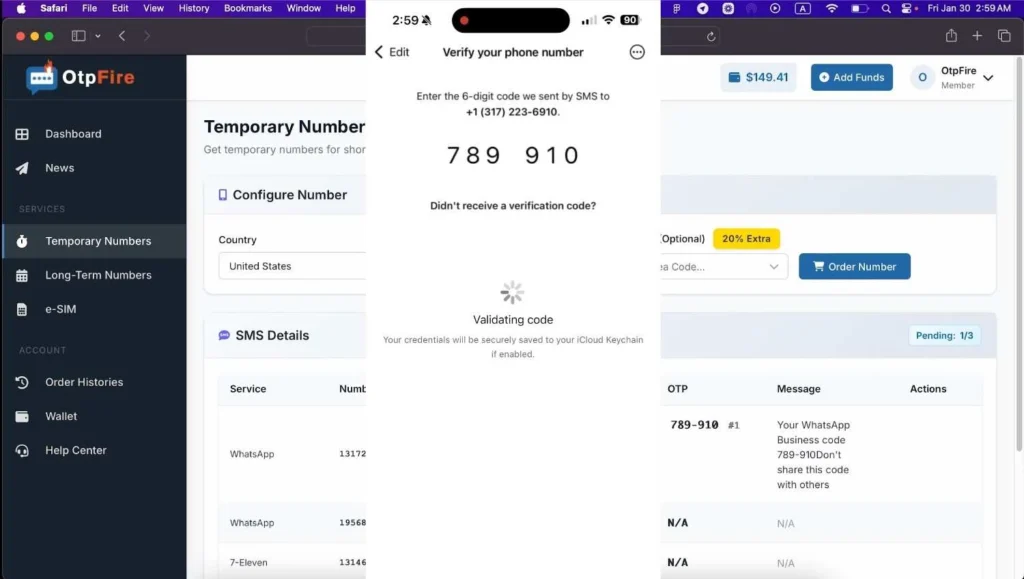
- Your WhatsApp account is now ready to use. Here’s the profile that was just created using an OtpFire USA number.
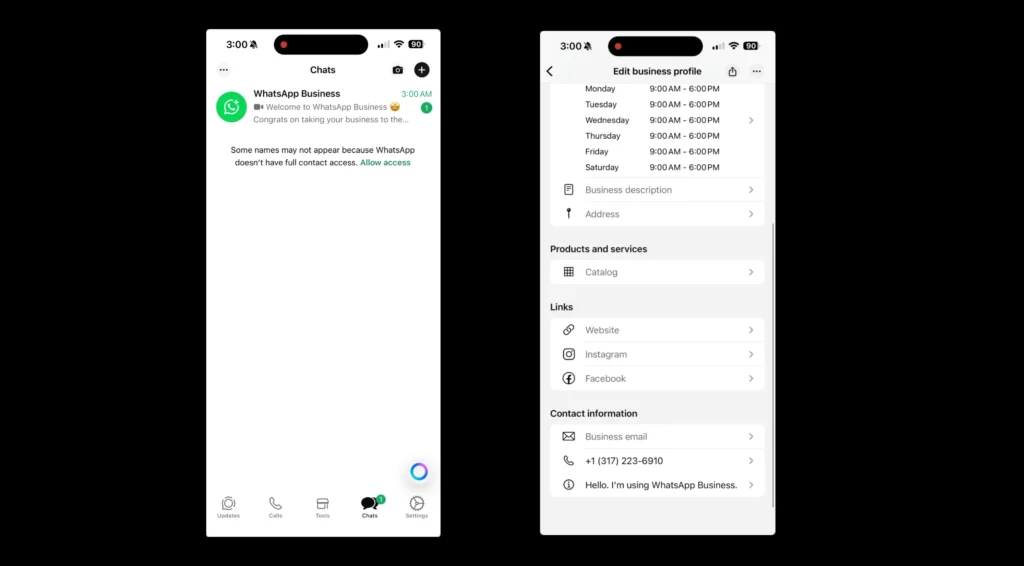
Final Thoughts
Creating a WhatsApp account with a USA number is no longer difficult—even if you’re outside the United States. With OtpFire, you can verify WhatsApp quickly, securely, and without wasting time on free services that fail.
👉 Ready to get started?
Get your USA number now and complete WhatsApp verification in under a minute with OtpFire.